Infrastructure as Data

Your server fleet, fully in focus. In one place.

Patches, CVEs, compliance, firewall, services, users. One queryable layer over your entire fleet. So when something breaks at 3am, you already know what you're looking at.

When it breaks, who pays?

Every server fleet eventually runs on five overlapping tools and one operator stitching them together. Here's what that costs.

The operator pays.

  • Time. Every incident hides a "figure out what's actually happening" phase before you can act.
  • Mental load. You become the integration layer, remembering where to check what, which tool to trust, how the pieces connect.
  • Reputation. You're the person guessing in the room when leadership asks what just happened.

The system pays.

  • Blind spots. A server not in inventory. A patch that never applied. A rule conflicting somewhere else. All sliding between tools.
  • Traceability gaps. Logs scattered across five systems. Timelines unclear. No clean answer to "what happened?"
  • Scaling ceiling. What works at 10 servers breaks at 500. Reactive work doesn't scale. It compounds.

The business pays.

  • Security exposure. Vulnerabilities sitting for weeks. Attackers moving faster than your scan cadence.
  • Compliance erosion. Findings fixed by hand, gone again next scan. No proof of sustained control.
  • Tool sprawl. 3 to 5 overlapping subscriptions, plus senior engineer time burned on context-switching instead of shipping.

OpsFabric is the single queryable layer over your server fleet.

Packages, services, users, firewall rules, cron jobs, open ports, compliance state, CVE exposure. Continuously collected, correlated, and action-ready. When you need to know something, the answer is already there. When you need to change something, you change it from the same place.

Event-driven collection: when a host changes, you know immediately. 3,937 data points across 20 servers in under 3 seconds.

You've been here before. Now you have somewhere to look.

Recognize one? See how OpsFabric handles it.

Patching & CVE intelligence

Patch every server from one screen

Scan, apply and rollback updates across your entire fleet. See which hosts need attention, filter by severity and bulk-apply with confidence. Various Linux distributions and Windows.

Try the demo See how it works →
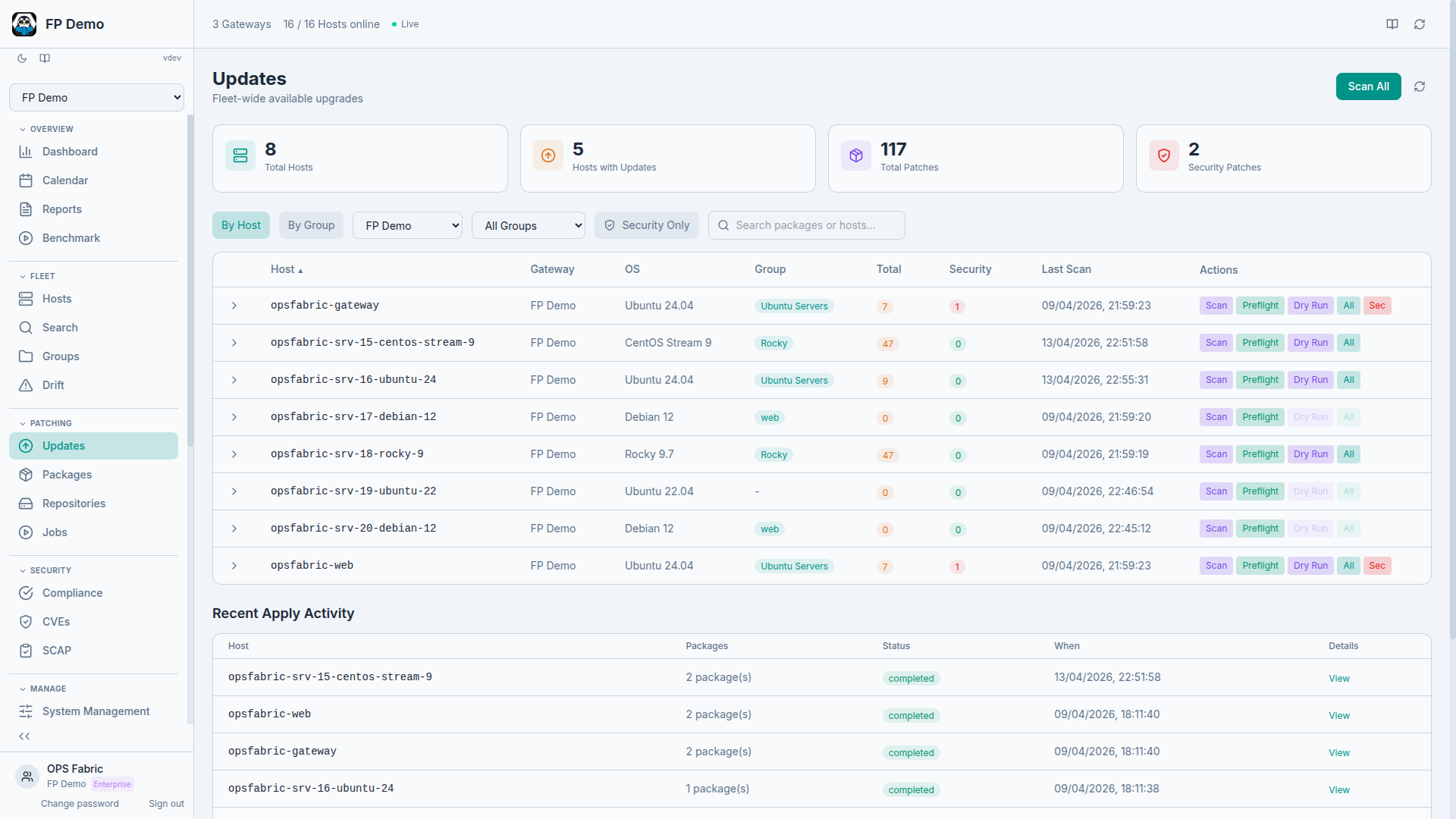
OpsFabric Patch Management

Know your vulnerabilities before attackers do

Correlate CVEs against every installed package across your fleet. Severity scoring, affected host counts and fix-available status, all in one view. Powered by OSV.dev.

Learn more
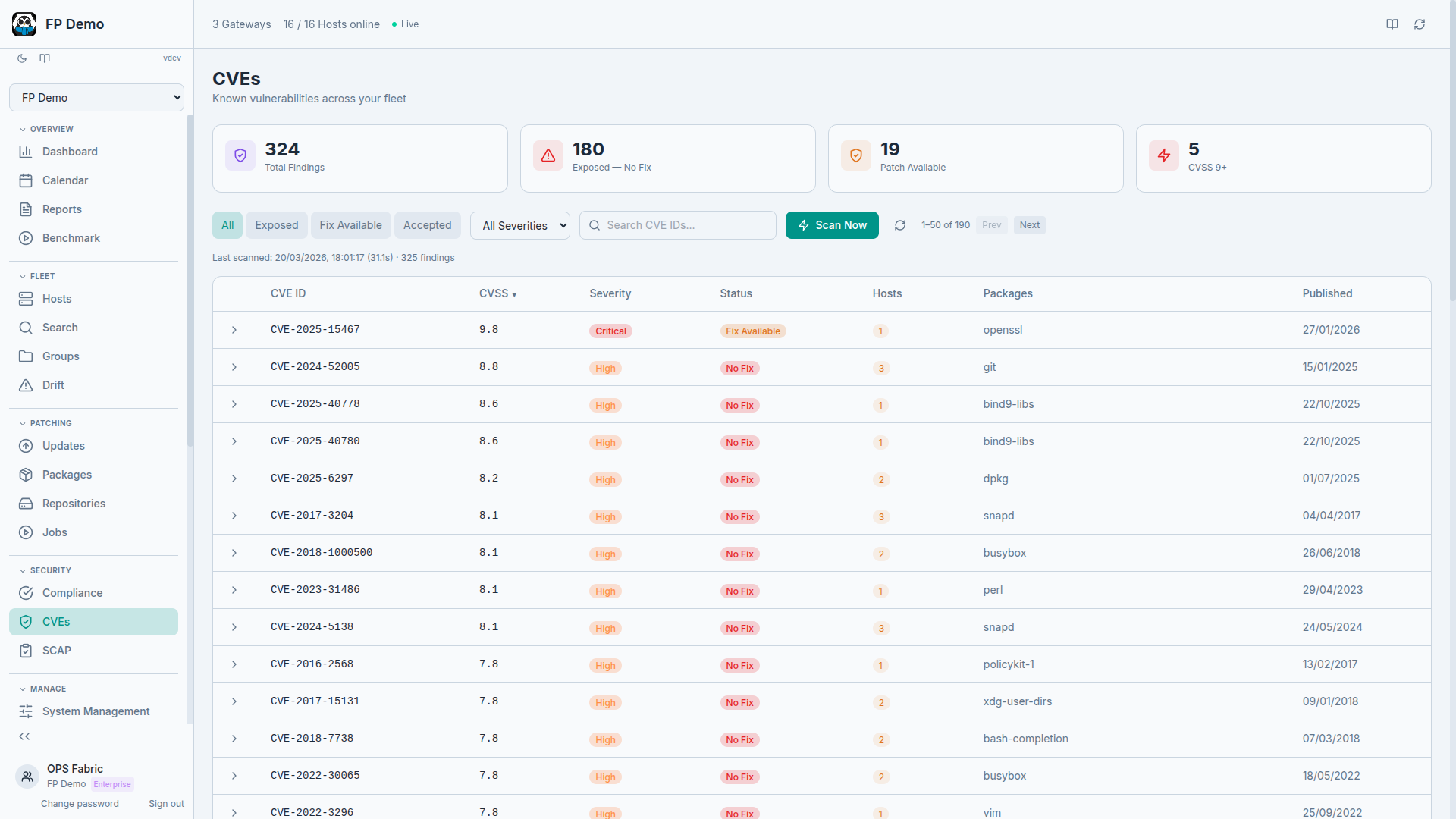
OpsFabric CVE Intelligence

440,000+ packages. Find any of them instantly.

Browse and search every package available across all your configured repositories. Filter by OS family (Debian, RedHat, Windows), find what you need with instant search and add packages directly to State Profiles to define what should be installed across your fleet.

Try the demo
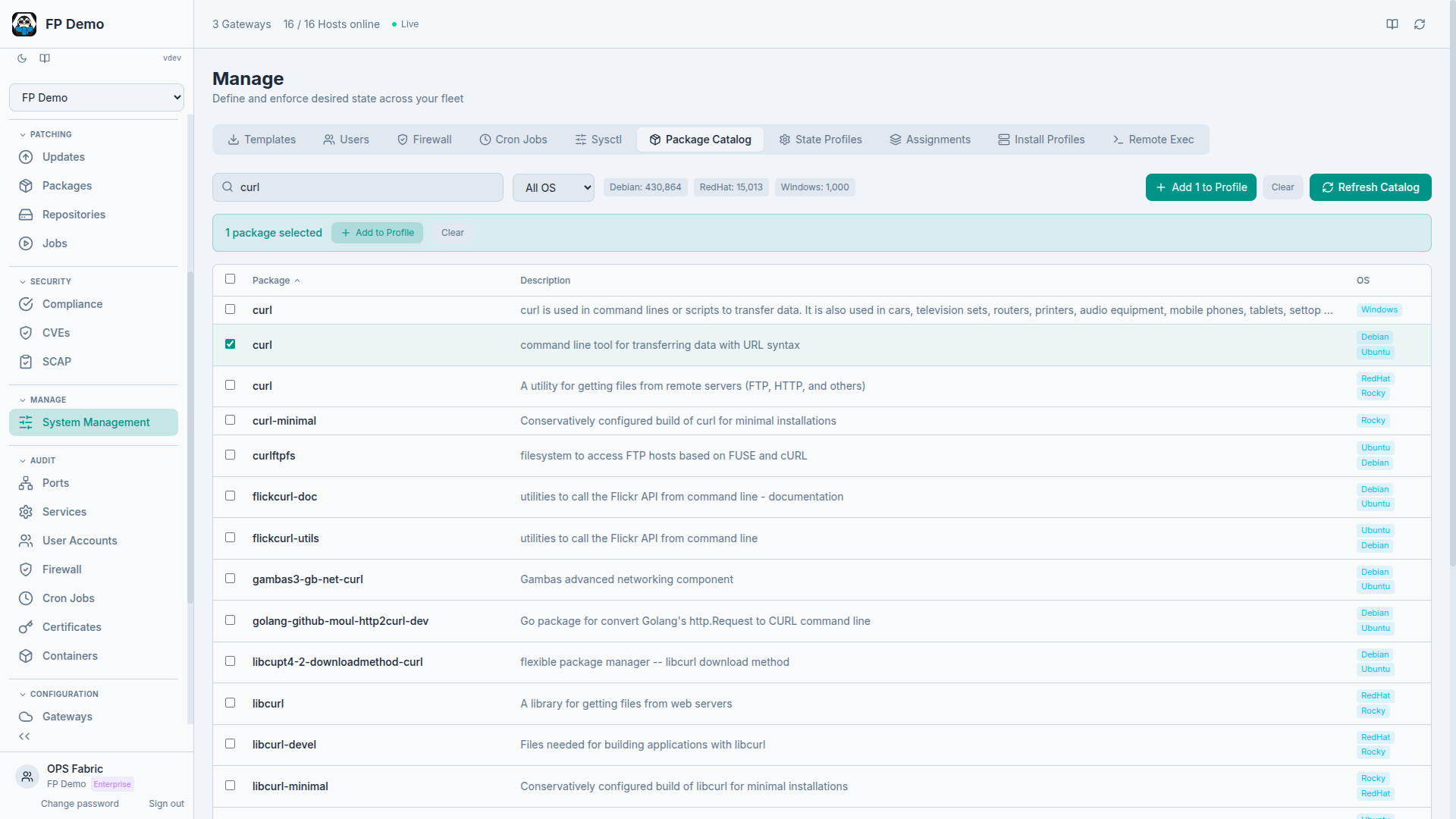
OpsFabric Package Catalog
Compliance & drift

Compliance reports that write themselves

SCAP scanning with CIS, STIG, PCI-DSS and HIPAA benchmarks. Compliance trending over time, security posture at a glance and exportable snapshots for auditors.

Try the demo
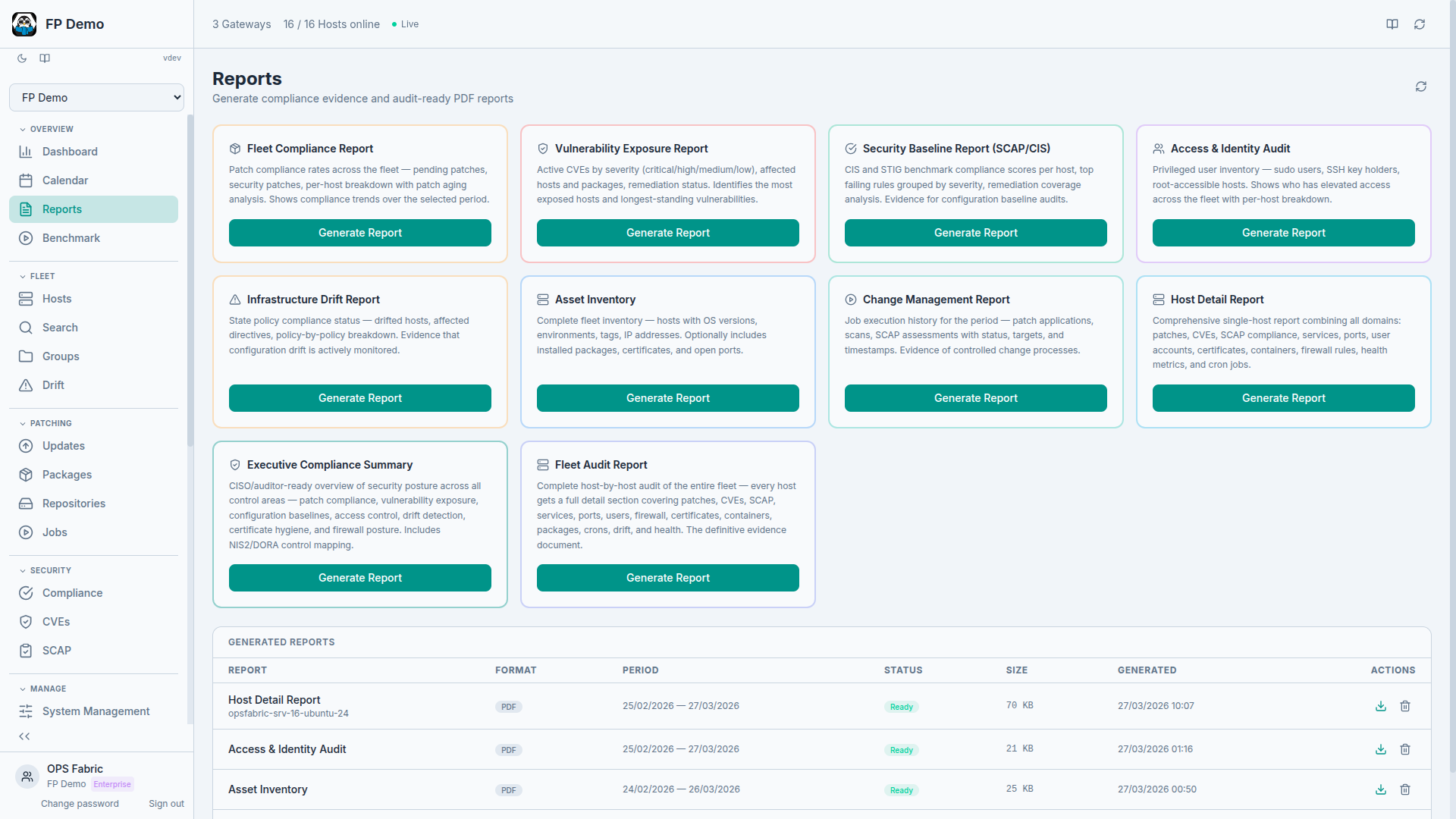
OpsFabric Compliance Reports

Find a compliance failure. Fix it in one click.

SCAP scans tell you what failed. OpsFabric tells you how to fix it and does it for you. Failed CIS rules are matched to ready-made remediation directives. Select findings, add fixes to a state profile and enforce across your fleet. For rules without automation, you get the exact shell commands and guidance from the benchmark.

Try the demo Beyond auditing: manage, don't just observe →
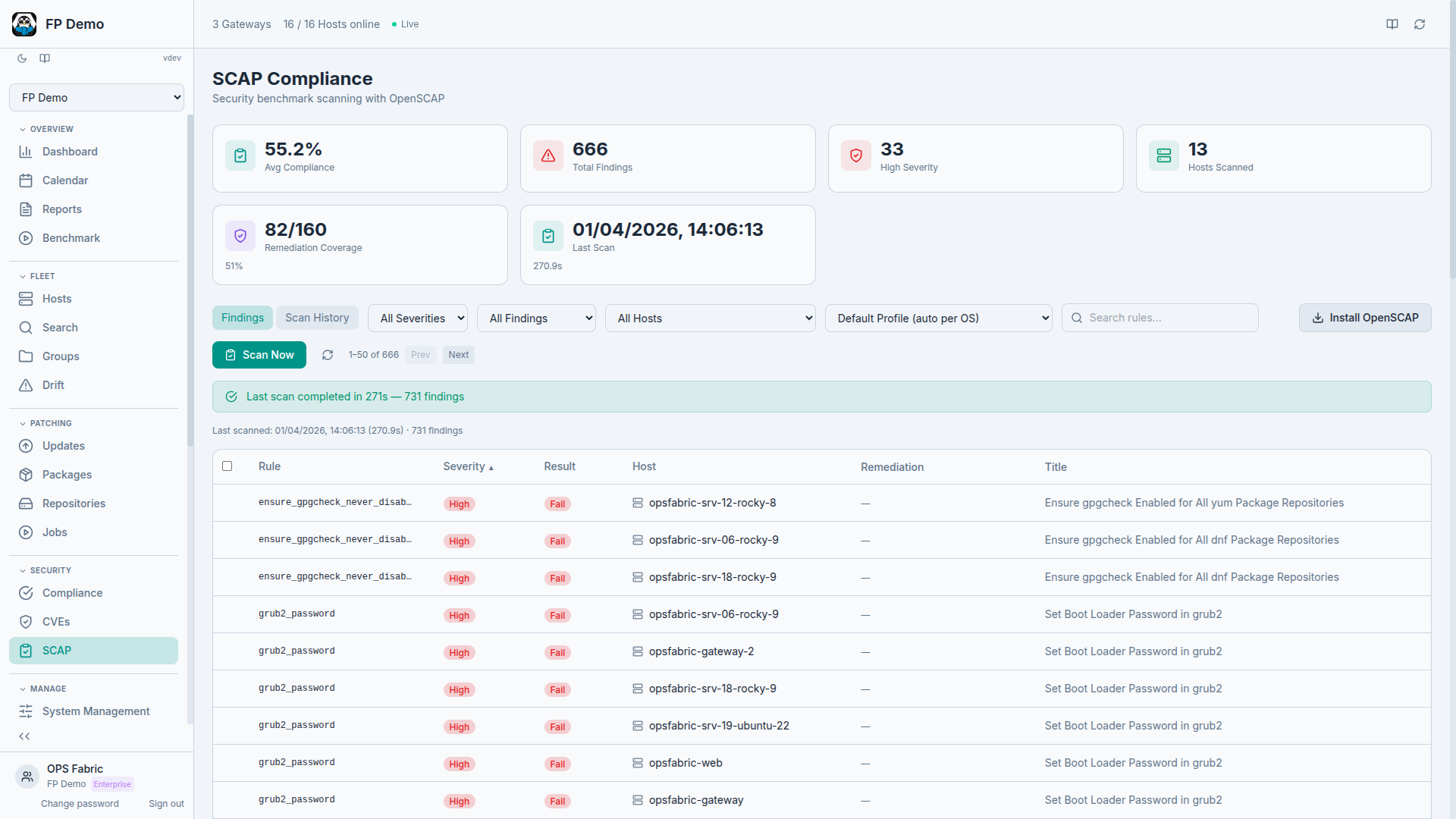
OpsFabric SCAP Remediation

Define what applies where. Version every change.

Target State Profiles to all hosts, specific groups, individual hosts, or compound filters like OS family, hostname patterns, tags and environment. Execute at any level. Every change to the assignment document is versioned with detailed diffs showing exactly what changed and who changed it.

See the platform
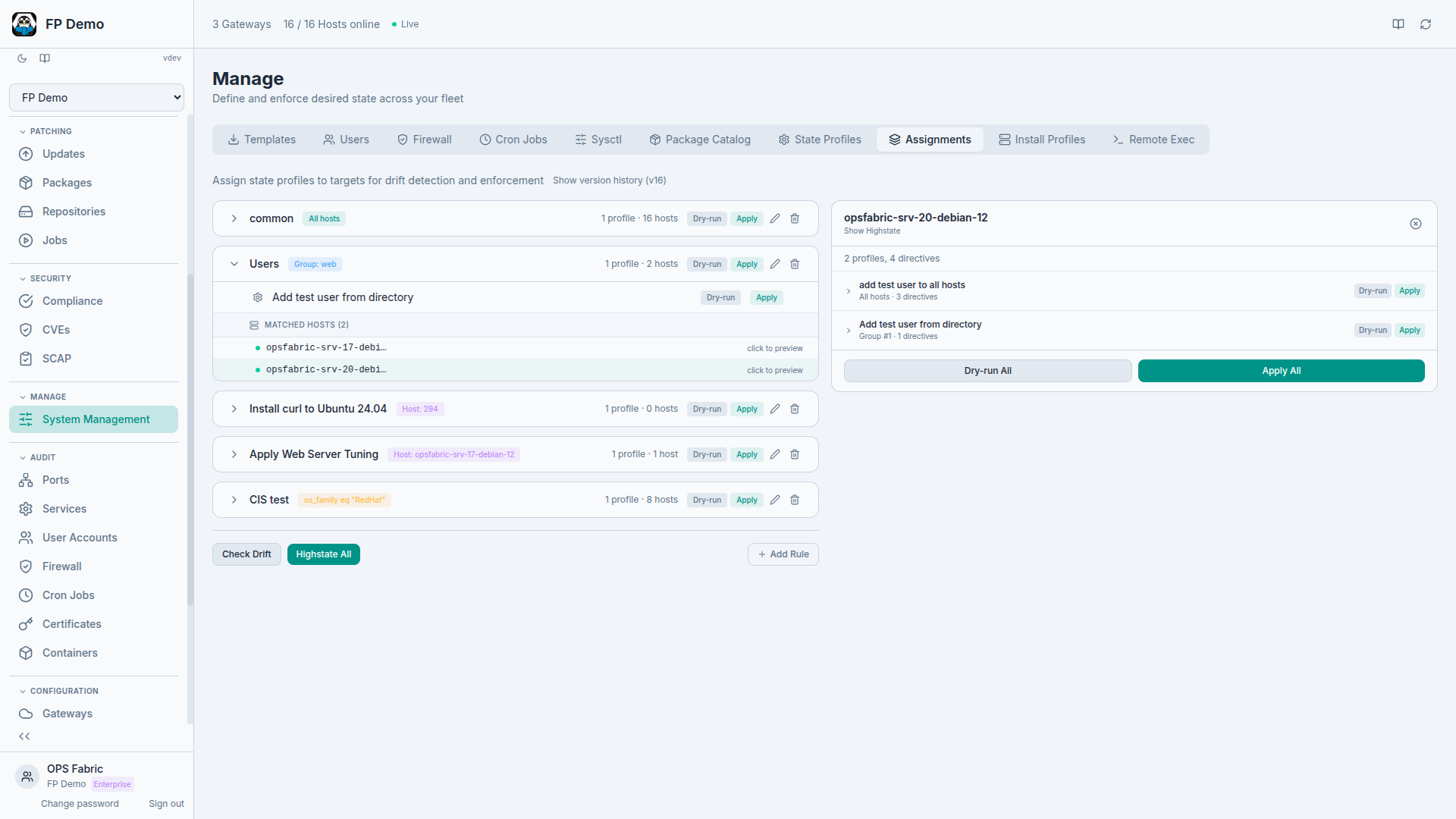
OpsFabric State Assignments
Fleet visibility

See everything. Manage everything.

OS versions, installed packages, open ports, running services, user accounts, firewall rules, cron jobs. Not just collected and searchable, but editable. Add users, toggle services, update firewall rules, manage cron jobs. Infrastructure as data means read and write.

See the platform What is infrastructure as data? →
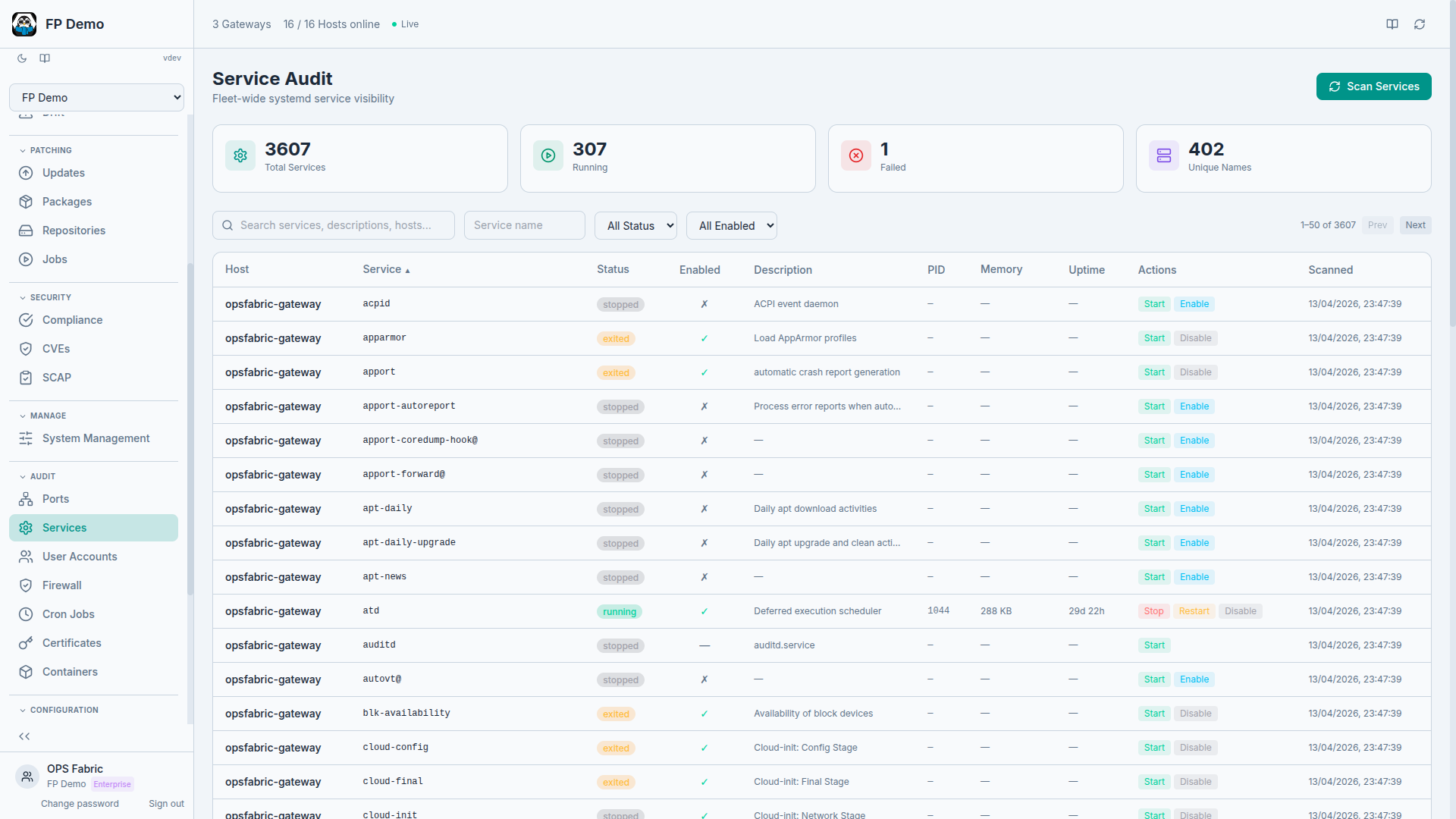
OpsFabric Fleet Services

Search everything. Filter by anything.

Find hosts by OS, package, open port, CVE, firewall rule, service status, user account, SCAP result, or any combination. Stack filters across every data domain and get instant results across your entire fleet.

Try the demo
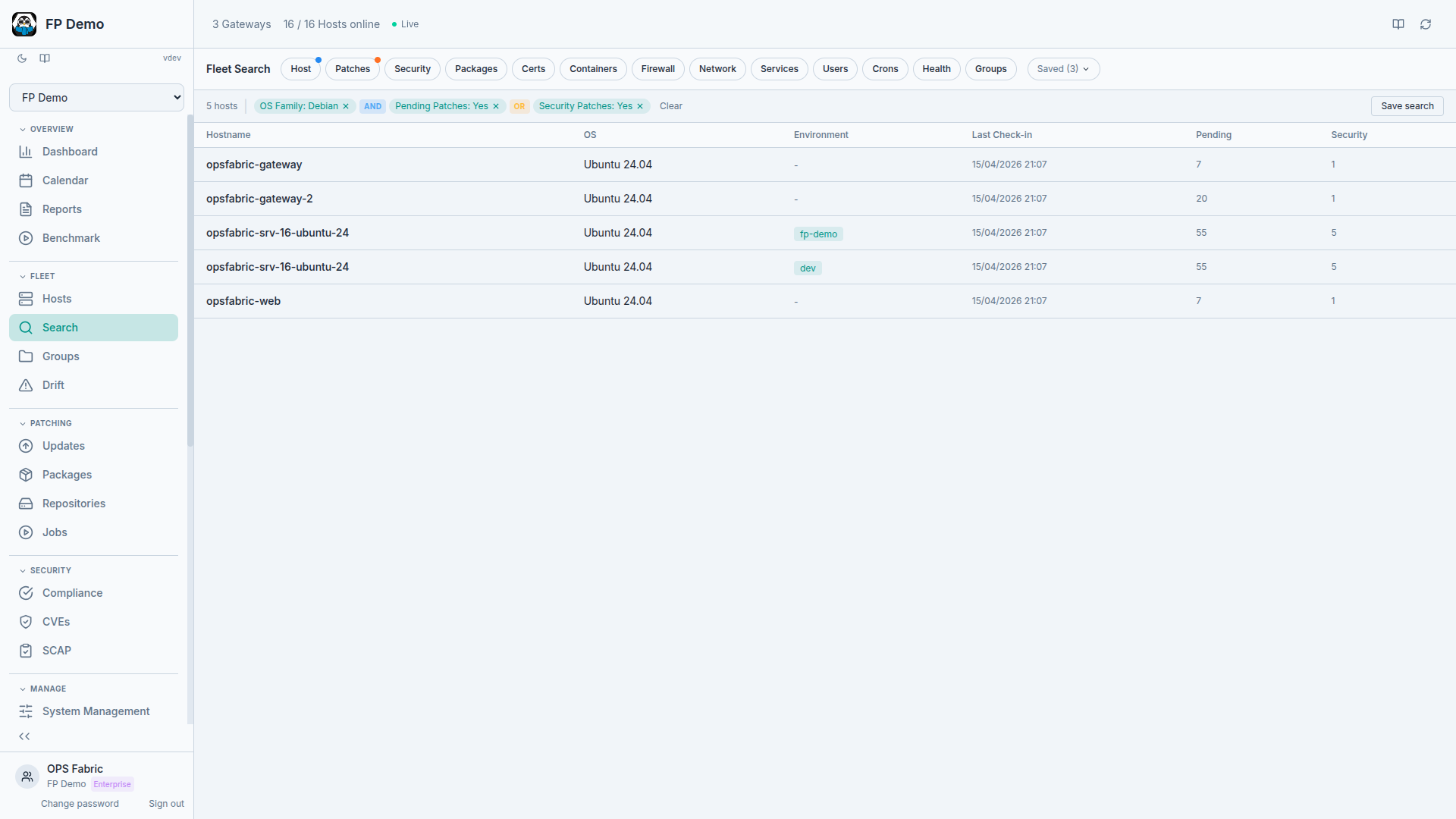
OpsFabric Fleet Search
Operations & change control

Schedule, approve and track every change

Patch windows, dry-run previews, approval gates and full audit trails. Every job is logged with who ran it, when and what changed. No more mystery patches.

Learn more
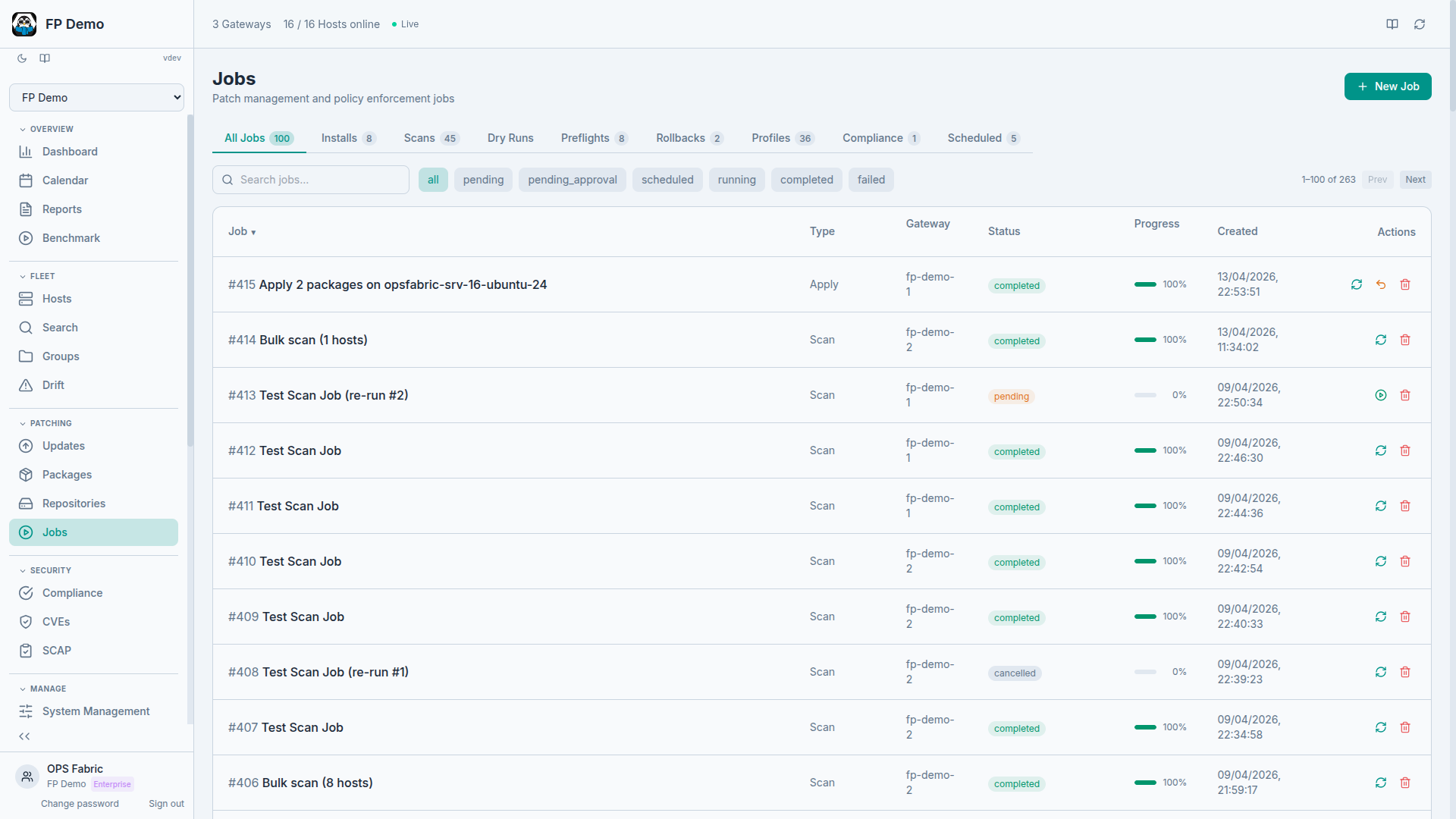
OpsFabric Job Orchestration

Audit and manage firewalls, users and services fleet-wide

View and manage iptables rules, open ports, user accounts and cron jobs across every host. Spot misconfigurations, then fix them directly from the platform. No SSH required.

See the platform Why manage, not just audit? →
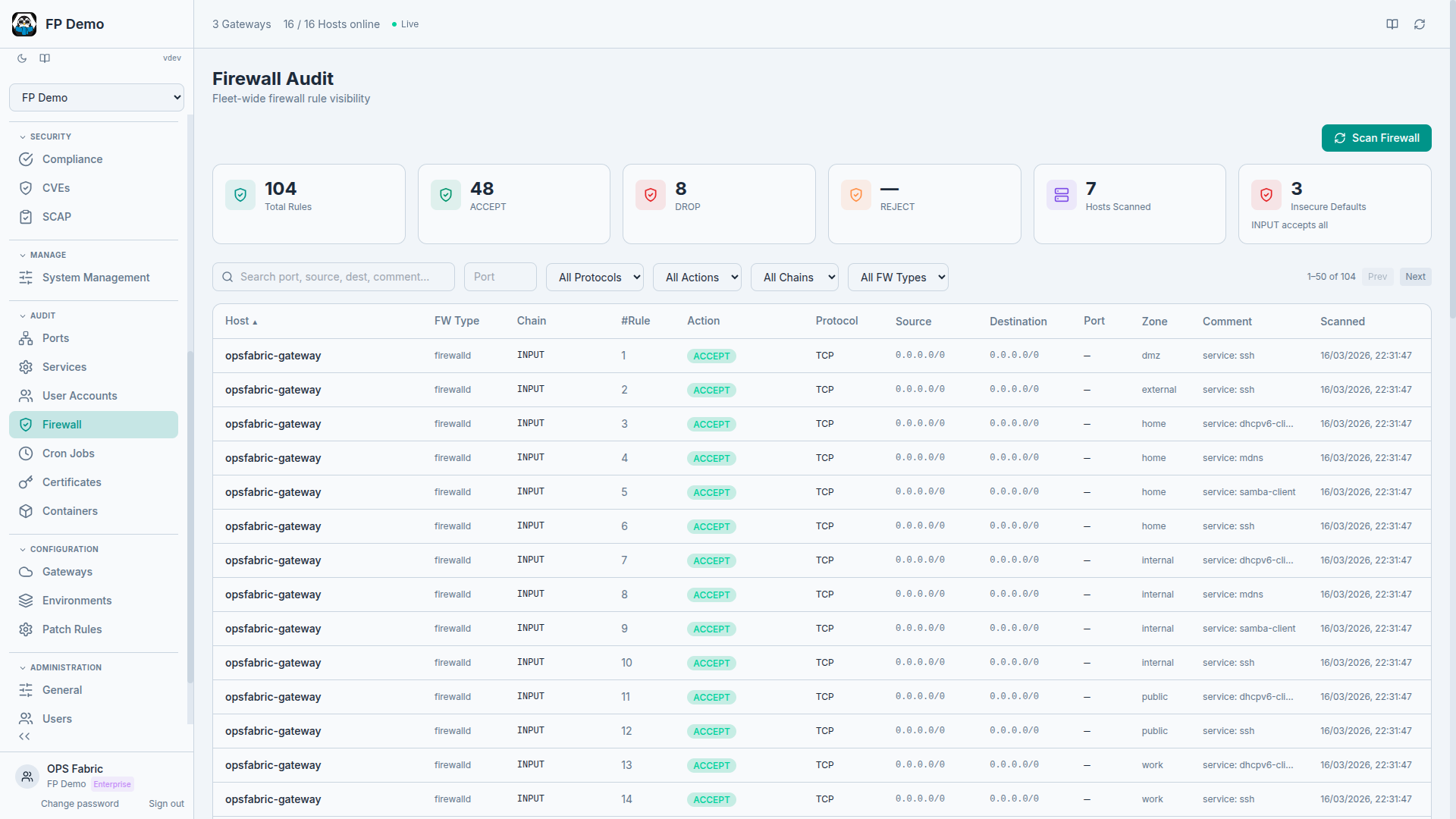
OpsFabric Security Management

Run commands on any host. See results in real time.

Select one or more hosts across any gateway, type a command and watch results stream back per host. Save frequently used commands as reusable snippets. Dangerous commands trigger a confirmation prompt. Every execution is logged with who ran it, when, on which hosts and the full output.

Try the demo
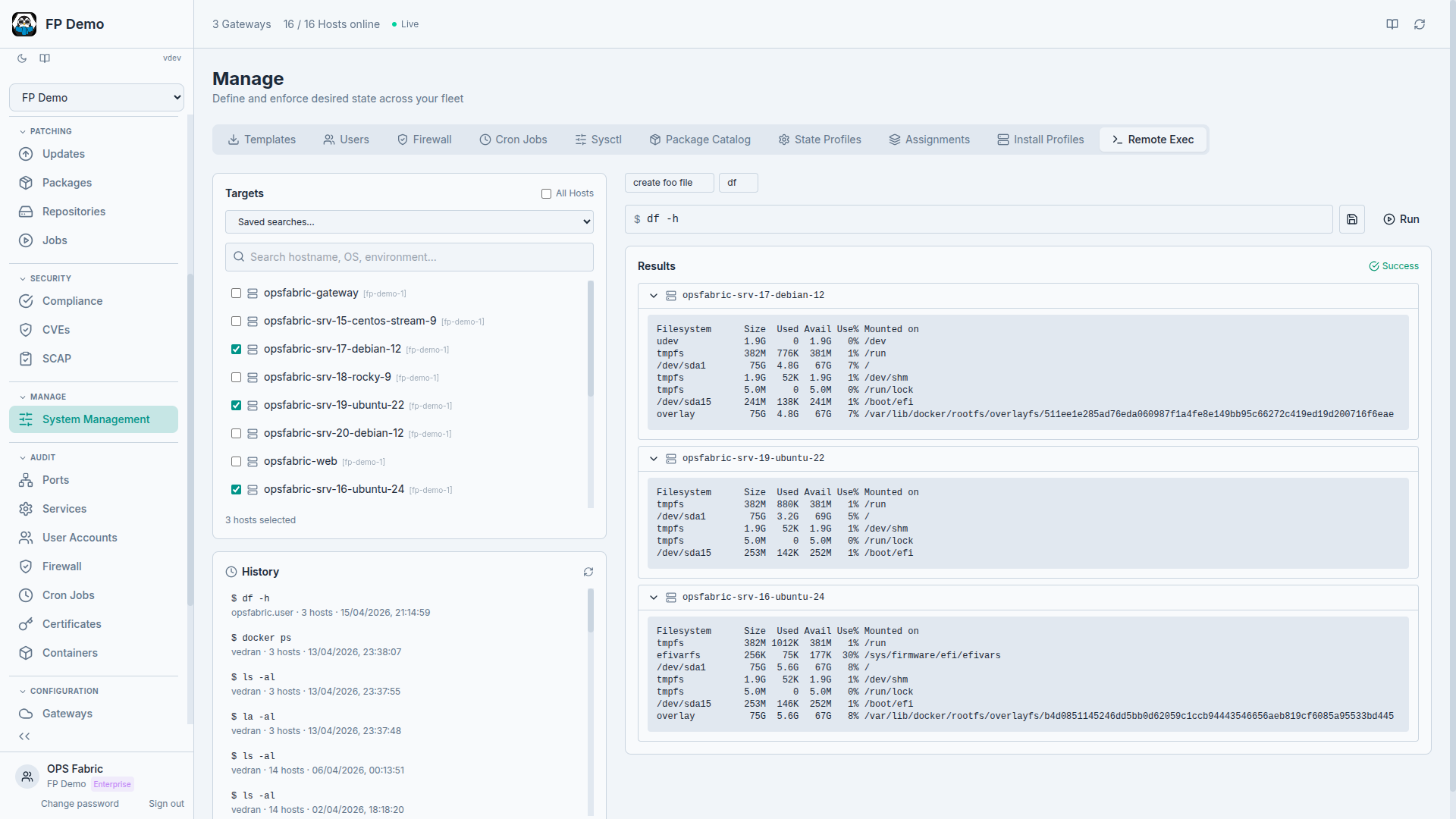
OpsFabric Remote Execution

New hosts get the right config from day one

Pre-configure the onboarding experience for new hosts. Define an Install Profile with environment, tags and group assignments, then use it when registering new minions. New hosts automatically join the right groups and inherit the correct policies.

Try the demo
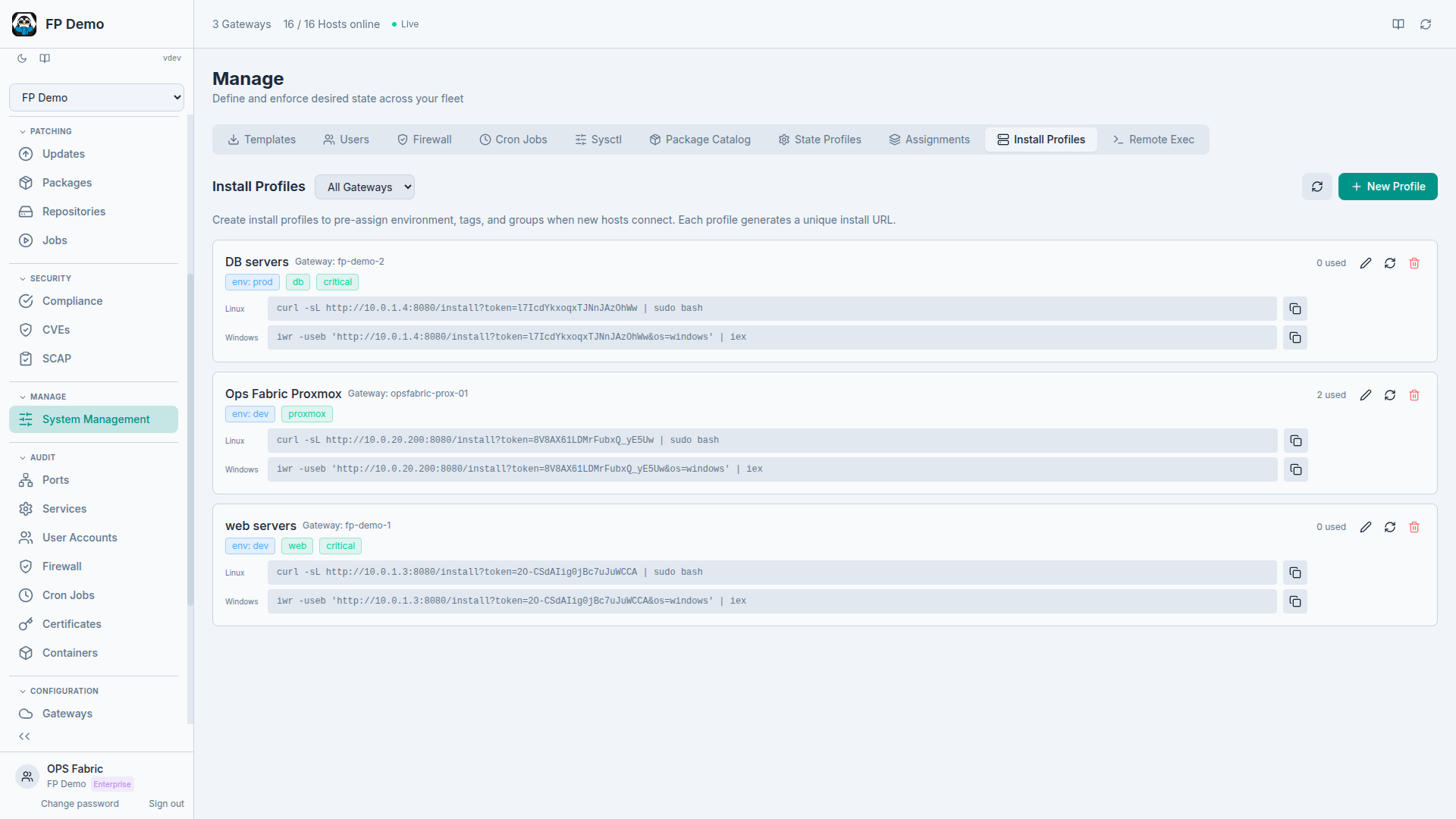
OpsFabric Install Profiles

You're giving us access to your servers. Here's how we earn it.

OpsFabric changes your infrastructure, not just reads it. So isolation, access control and transparency are built into the architecture.

Your own infrastructure

Every customer gets dedicated, single-tenant infrastructure with its own database, physically isolated from everyone else's.

No inbound ports

Servers talk to a gateway in your network, and the gateway opens one outbound TLS connection. Nothing listens for the internet.

You stay in control

SSO, role-based access, approval workflows and a full audit log. Every change is traceable to a person.

We can't see your fleet

We have no access to your web interface or fleet data. Need zero vendor access? Run OpsFabric self-hosted or air-gapped.

From €99 / month + €3 per server

One platform, every feature, unlimited users. Two plans with the same features. You pay a fixed platform fee and the servers you actually manage. No sales call to see the price.

Platform fee Your own dedicated, physically isolated OpsFabric infrastructure, plus continuous maintenance, security updates and platform hardening, backups, product updates and standard support. €199
Server usage
Total /month

Billed monthly, per day of use. Prices excl. VAT.

How is pricing calculated?

A fixed monthly platform fee (€99 on Start, €199 on Pro), plus a per-server price that gets lower as your fleet grows. Each band is priced separately, like tax brackets: with 250 servers, the first 100 cost €3.00 each and the next 150 cost €2.50 each.

Managed serversPrice per server / month
1 – 100€3.00
101 – 500€2.50
501 – 1,000€2.00
1,001 – 2,500€1.50
2,501+Custom

You only pay for the days a server is managed. A server counts for a day if it checked in at least once that day. At the end of the month we add up these server-days and divide them by the number of days in that month (28–31) to get your billable servers, then apply the bands above. For example, in a 30-day month, 100 servers running all month plus 60 servers running for 10 days make 100 + 20 = 120 billable servers. You can follow your usage at any time under General Settings → Usage in your instance. The calculator assumes every server is managed for the whole month.

USD prices use the same numbers ($99 / $199 platform fee, $3.00 / $2.50 / $2.00 / $1.50 per server). All prices exclude VAT.

See full pricing and what's included →

One platform vs. the patchwork

Most tools do one thing well and ignore the rest. OpsFabric connects every operational domain so your data works together.

Capability OpsFabric NinjaOne Automox Ansible / AWX Rudder
Infrastructure as data Yes Not a focus Not a focus Not a focus Not a focus
Cross-domain fleet search Yes Not a focus Not a focus Not a focus Not a focus
SCAP / CIS compliance Yes Not a focus Not a focus DIY Yes
One-click SCAP remediation Yes Not a focus Not a focus Not a focus Yes
CVE intelligence Yes Basic Basic Not a focus Yes
Patch management Yes Yes Yes DIY Yes
Patch rollback Yes Limited Not a focus Manual Yes
Configuration management Full (Salt) Limited Worklets Full Full
Firewall / user / cron management Yes Not a focus Not a focus DIY Limited
Remote execution with audit trail Yes Limited Worklets Yes Limited
Event-driven (not polling) Yes Not a focus Not a focus Not a focus Not a focus
Multi-tenancy / MSP Yes Yes Yes Not a focus Yes

Based on publicly available product documentation, September 2026. Spotted something out of date? Let us know.

The thinking behind the platform

Why we built it, how it works, and what infrastructure as data actually means.

One place to look. One place to act.

Stop being the integration layer between five tools. See OpsFabric on a live demo fleet. Every domain, every server, every screen.

OpsFabric isn't a patching tool that collects data. It's an infrastructure data platform that happens to be really good at patching.

Try the live demo

Want it on your own servers? Talk to us.

View in dark mode