Beyond auditing: managing fleet state
March 5, 2026 · 10 min read · Vedran Lebo
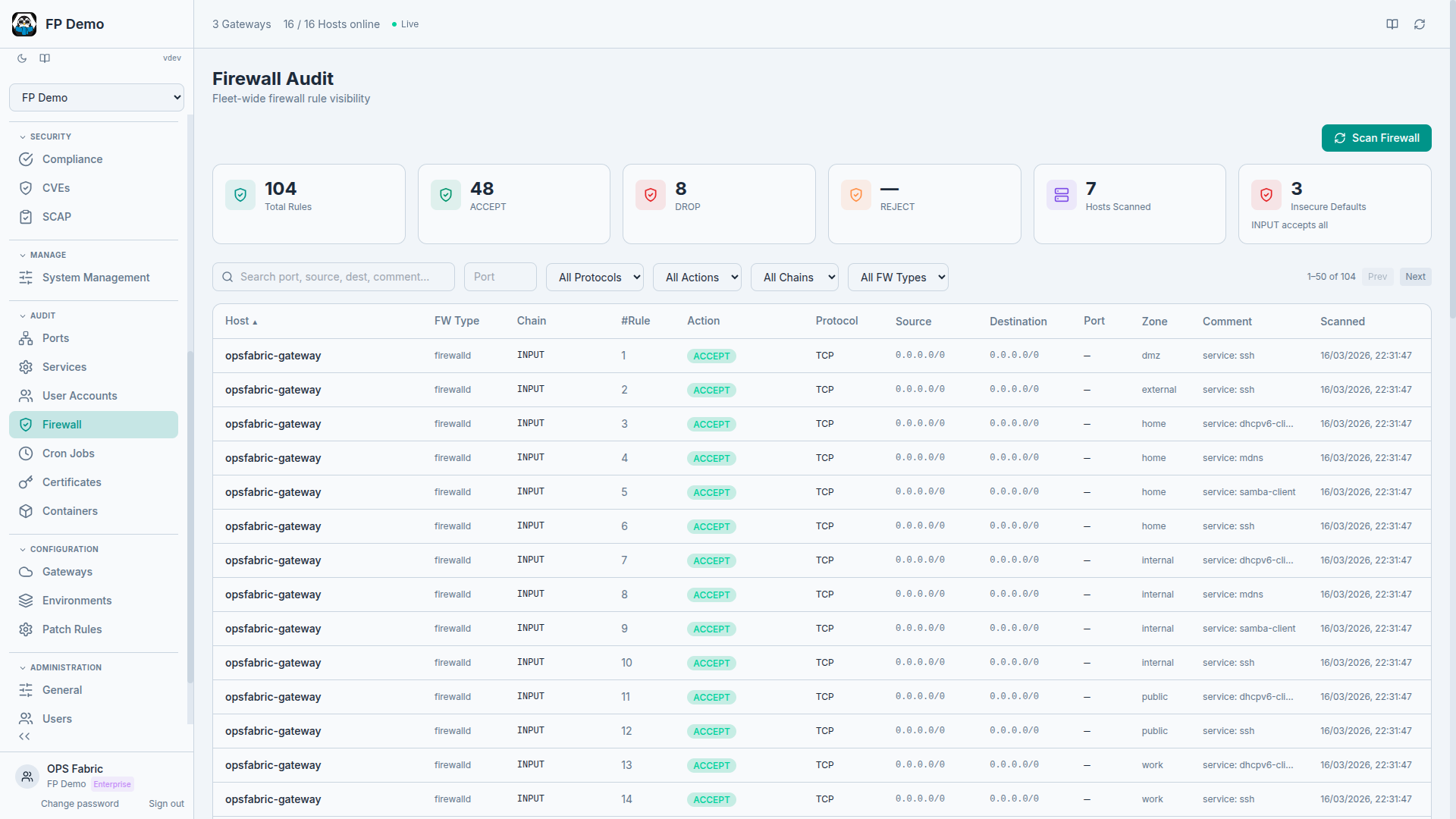
The first three posts in this series covered why we built OpsFabric, the infrastructure-as-data model, and how fast the platform collects fleet data. But collecting data is only half the picture.
Knowing that 14 hosts are missing a required user account, or that 6 hosts have an unauthorized port open, is useful. Being able to fix it from the same platform, with a dry run first, an audit trail after, and drift detection ongoing, is what makes the difference between a reporting tool and an operations platform.
This post covers the management side of OpsFabric: state profiles, enforcement, dry runs, drift detection, and the operational domains where OpsFabric doesn't just tell you what's wrong. It fixes it.
State Profiles: desired state, declared once
A State Profile is a named collection of directives that describe what should be true on your hosts. Not scripts. Not playbooks. Declarative rules that the platform enforces across your fleet, regardless of OS family or distribution.
A profile called "Production Baseline" might include:
- User
deploymust exist with/bin/bashshell andsudogroup membership - User
contractor-tempmust not exist - SSH key for
deploymust be present inauthorized_keys - Service
nginxmust be running and enabled on boot - Service
telnetdmust be stopped and disabled - Package
fail2banmust be installed - Firewall: allow TCP 443 from any, allow TCP 22 from 10.0.0.0/8 only
- Cron: daily log rotation at 02:00
You define this once. OpsFabric enforces it across 10 hosts or 1,000.
Enforcement across operational domains
State Profiles span multiple operational domains, with more being added continuously. Some examples of what you can enforce today:
Users & SSH Keys: Ensure users exist (or don't), with the right shell, groups, and SSH keys. Pull from a managed user directory so you define a user once and reference it across profiles. Remove departed employees fleet-wide with a single directive.
Services: Ensure services are running, stopped, enabled on boot, or disabled. Catch unauthorized services or verify that critical daemons are always up.
Packages: Ensure packages are installed (optionally pinned to a specific version) or removed. Enforce security tooling across the fleet or remove known-vulnerable software.
Cron jobs: Define managed cron jobs centrally and enforce them across hosts. Uses stable identifiers so updating a cron's schedule doesn't create duplicates, it updates the existing entry.
Firewall rules: Define abstract firewall rules and OpsFabric translates them to the active backend on each host automatically. Works across iptables, nftables, firewalld, and ufw. You define rules once, the platform handles the differences. Reference reusable security groups from the firewall rules library.
Kernel tuning: Manage sysctl parameters declaratively. Define baseline kernel tuning once and enforce it fleet-wide.
Each domain follows the same pattern: define the desired state, dry-run to preview, apply to enforce, detect drift when things change. New domains are added regularly as the platform grows.
Dry runs: preview before you commit
Every State Profile can be run in two modes:
- Dry Run: evaluates every directive against the target hosts without making any changes. Reports exactly what would change. Safe to run anytime, against any hosts.
- Apply: enforces the desired state. Makes actual changes on hosts and records every action.
Dry runs are the answer to "what happens if I apply this?" They let you validate a profile against production hosts before committing to changes. Run a dry run on Monday, review the drift report, apply on Wednesday during the maintenance window.
Drift detection: know when reality diverges
After a dry run or apply, every directive on every host gets a status:
- OK: actual state matches desired state, no changes needed
- Drifted: actual state differs from desired state
- Failed: the directive couldn't be evaluated or applied
The Host Detail page shows drift status per policy with expandable details: which directive drifted, what the expected state was, what the actual state is, and what would change on apply.
This turns compliance from a point-in-time question into a continuous one. You don't wait for the quarterly audit to discover that someone manually added a user on a production host. The drift is visible the next time the profile runs.
Version history: every change tracked
Every edit to a State Profile is versioned. You can view the version number, timestamp, who made the change, a diff showing added, removed, and modified directives, and an auto-generated change summary.
The same applies to managed cron jobs, firewall security groups, and user definitions. When you update a cron job's schedule or add a rule to a security group, the change is versioned and the diff is preserved.
The management lifecycle
The full workflow looks like this:
- Define: create a State Profile with the directives you want enforced
- Dry run: preview changes against target hosts without modifying anything
- Review: examine the drift report, verify that the changes are correct
- Apply: enforce the desired state with full audit trail
- Monitor: run periodic dry runs to detect drift between enforcement windows
- Iterate: update the profile as requirements change, version history preserves the record
Every step is recorded. Every action has an audit trail. Every change is attributable to a user.
Hardening at scale
State Profiles are how you operationalize hardening standards like CIS benchmarks. Instead of a 300-page PDF that someone reads and manually applies, you encode the relevant controls as directives: removing unnecessary accounts, disabling unused services, enforcing firewall baselines, tuning kernel parameters, deploying key-only authentication, and whatever else the standard requires.
Then dry-run it against your fleet to see the gap. Apply it to close the gap. Run it periodically to detect drift. Report the results to your auditor.
For formal compliance validation, OpsFabric also runs SCAP scans against industry benchmarks (CIS, STIG, PCI-DSS, HIPAA) and tracks CVE exposure across your fleet with CVSS scoring and risk acceptance workflows. State Profiles handle the enforcement side. SCAP and CVE intelligence handle the measurement side. Together, they close the loop between "are we compliant?" and "make us compliant."
The gap between "we have a hardening standard" and "our fleet actually conforms to it" is where most teams struggle. State Profiles close that gap with a repeatable, auditable process.
State assignments: define what applies where
State Profiles define what should be true. State Assignments define where it should be true.
Each assignment rule connects one or more State Profiles to a target. Targets can be:
- All hosts in your fleet
- Specific groups (e.g., "web-servers" or "production-db")
- Individual hosts by name
- Compound filters combining OS family, hostname patterns, tags, and environment
You can define a "Security Baseline" profile and target it at all hosts. Then a "Web Server Hardening" profile targeted only at the "web-servers" group. Then a "PCI Hosts" profile targeted at hosts tagged pci:true. Each host gets the union of all profiles that match its targeting rules.
Execution is flexible. You can execute at any level: a single host (test first), a single profile (just the firewall rules), a full assignment rule (everything targeted at web servers), or fleet-wide (enforce everything, everywhere).
Every change to the assignment document is versioned with detailed diffs showing exactly what changed, who changed it, and when. When a host suddenly starts getting a new policy, you can trace back to the exact assignment change that caused it.
Package catalog: 440,000+ packages, searchable
State Profiles reference specific packages. Before, you had to know the exact package name for each OS family. The package catalog indexes every package available across all your configured repositories, over 440,000 packages across Debian, RedHat, and Windows families.
Search for a package name, filter by OS family, see which repositories carry it and which versions are available, and add it directly to a State Profile. No more guessing whether a package is called httpd or apache2 on a specific distribution.
Remote execution: ad-hoc commands with audit trail
Not everything fits a declarative model. Sometimes you need to run a command on 15 hosts right now and see what happens.
Remote execution lets you select one or more hosts across any gateway, type a command, and watch results stream back per host in real time. The gateway fans out the command simultaneously and results arrive as each host completes.
Safety features keep this manageable at scale:
- Reusable snippets: save frequently used commands so you don't retype them
- Dangerous command detection: commands like
rm -rforshutdowntrigger a confirmation prompt - Full audit trail: every execution is logged with who ran it, when, on which hosts, and the complete output
Remote execution handles the ad-hoc tasks that don't fit State Profiles: debugging, one-time investigations, quick fixes while you build the proper policy.
Install profiles: new hosts, right config, day one
Every time you add a new host to your fleet, there's a checklist: assign it to an environment, tag it, put it in the right groups, make sure it inherits the right policies. At scale, that's tedious and error-prone.
Install Profiles pre-configure the onboarding experience. Define a profile with an environment (production, staging, development), tags (region, role, client), and group assignments (web servers, database servers). When you register a new minion and select that Install Profile, the host automatically gets the right environment, joins the right groups, and inherits whatever State Profiles and policies are targeted at those groups.
For MSPs managing multiple clients, this means one Install Profile per client. New hosts are production-ready from the moment they connect.
SCAP remediation: from finding to fix in one click
SCAP scans tell you what failed. OpsFabric tells you how to fix it and does it for you.
When a CIS benchmark scan returns failed rules, OpsFabric matches each failure to a ready-made remediation directive. You select the findings you want to fix, add them to a State Profile, and enforce across your fleet. 103 CIS Level 1 rules have automated remediation built in.
For rules without full automation, OpsFabric provides the exact shell commands and guidance from the benchmark, so you can build the remediation yourself or run it via remote execution.
This closes the gap between the compliance scanner and the fix. Most tools stop at "here's what's wrong." OpsFabric goes to "here's the fix, preview it, apply it, and track that you did."
The full lifecycle
All of these features connect into a single management lifecycle:
- Package catalog: find the software you need across all distributions
- State Profiles: define what should be installed, configured, and enforced
- State Assignments: target those profiles at the right hosts using flexible rules
- Install Profiles: ensure new hosts automatically fall under the right assignments from day one
- Dry runs: preview every change before committing
- Apply: enforce desired state with full audit trail
- Drift detection: continuous monitoring for when reality diverges from intent
- SCAP remediation: turn compliance findings into enforceable fixes
- Remote execution: handle ad-hoc tasks with full accountability
The infrastructure-as-data model sits underneath all of this. Every host continuously reports its state. State Profiles and Assignments define what should be true. Drift detection flags divergence. The audit log records every action. And the cycle repeats.