New features: package catalog, remote execution, state assignments, and install profiles
March 26, 2026 · 6 min read · Vedran Lebo
OpsFabric started with a core loop: collect data from your fleet, make it searchable, and let you act on it. Patch management, CVE intelligence, SCAP compliance, fleet search. These covered the "see and understand" part well.
This update adds four features that close the loop on the "manage and enforce" side. Package catalog, remote execution, install profiles, and state assignments. Together they cover the full lifecycle: what software is available, how you run commands, how new hosts join the fleet, and how policies get targeted and enforced.
Package catalog
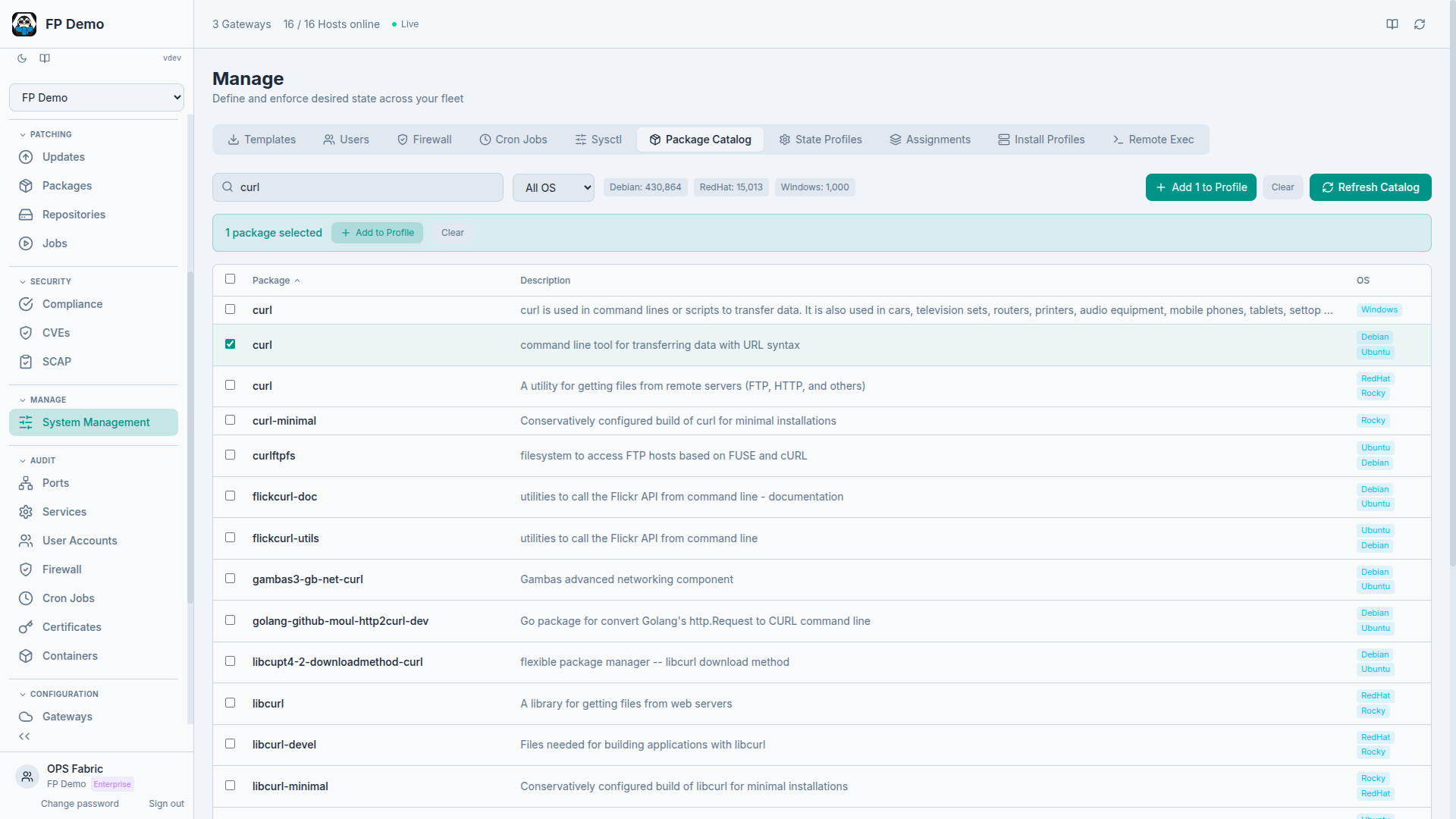
OpsFabric now indexes every package available across all your configured repositories. Over 440,000 packages across Debian, RedHat, and Windows families, all searchable instantly.
This matters because State Profiles need to reference specific packages. Before, you had to know the exact package name for each OS family. Now you search the catalog, see what's available for which distributions, and add packages directly to a profile.
The workflow is straightforward:
- Search for a package name (e.g., "nginx" or "fail2ban")
- Filter by OS family if needed
- See which repositories carry it and which versions are available
- Select and add directly to a State Profile
No more guessing whether a package is called httpd or apache2 on a specific distribution. The catalog knows.
Remote execution
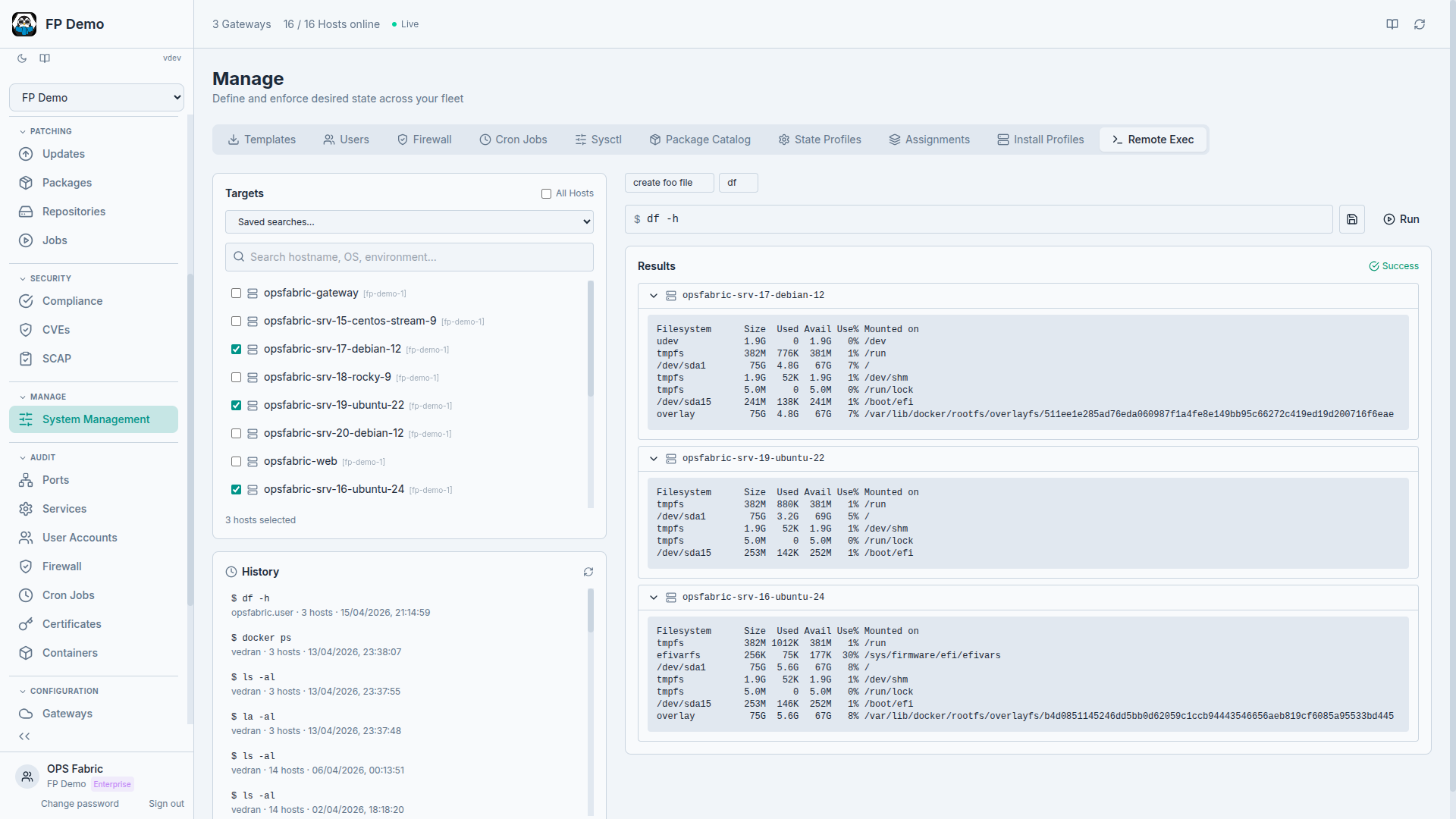
Sometimes you don't need a policy or a state profile. You need to run a command on 15 hosts right now and see what happens.
Remote execution lets you do that from the UI. Select one or more hosts across any gateway, type a command, and watch results stream back per host in real time. The gateway fans out the command simultaneously and results arrive as each host completes.
A few things we built to keep this safe:
- Reusable snippets: save frequently used commands so you don't retype them. "Check disk usage on /var," "restart nginx," "show failed systemd units." Define once, run anywhere.
- Dangerous command detection: commands like
rm -rf,shutdown, orddtrigger a confirmation prompt. Not blocked, just a pause to make sure you meant it. - Full audit trail: every execution is logged. Who ran it, when, on which hosts, and the complete output. If someone asks "who restarted that service on Tuesday," the answer is one search away.
Remote execution is not a replacement for State Profiles. Profiles handle desired state, ongoing enforcement, and drift detection. Remote execution handles the ad-hoc tasks that don't fit a declarative model: debugging, one-time investigations, quick fixes while you build the proper policy.
Install profiles
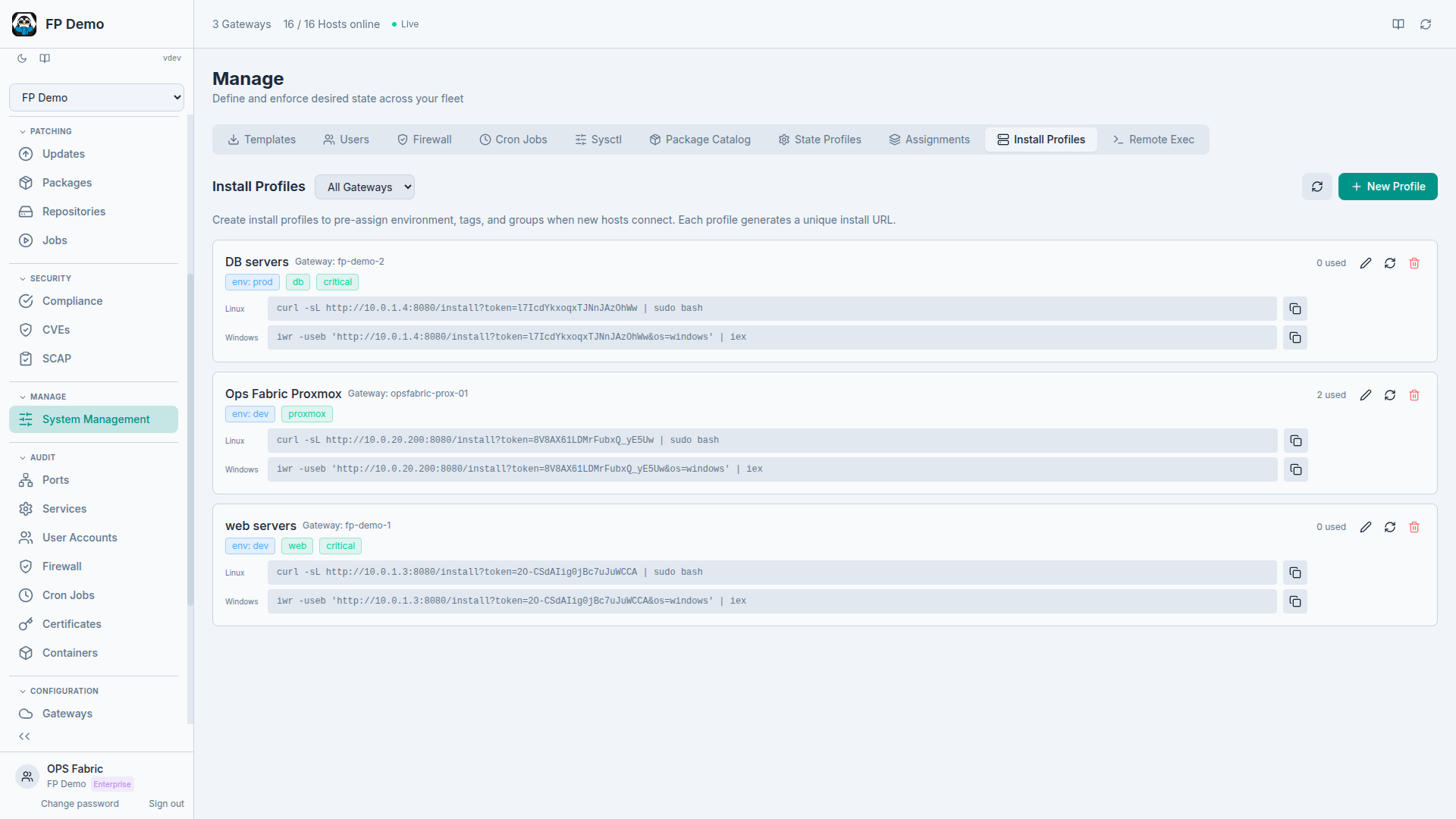
Every time you add a new host to your fleet, there's a checklist: assign it to an environment, tag it, put it in the right groups, make sure it inherits the right policies. When you're adding hosts one at a time, that's manageable. When you're onboarding a new client with 50 servers, it's tedious and error-prone.
Install Profiles pre-configure the onboarding experience. You define a profile with:
- Environment (production, staging, development)
- Tags (region, role, client)
- Group assignments (web servers, database servers, etc.)
When you register a new minion, you select an Install Profile. The host automatically gets the right environment, joins the right groups, and inherits whatever State Profiles and policies are targeted at those groups. Production-ready from the moment it connects.
For MSPs managing multiple clients, this means creating one Install Profile per client. New hosts for that client get the client's environment, tags, and policies without any manual configuration.
State assignments
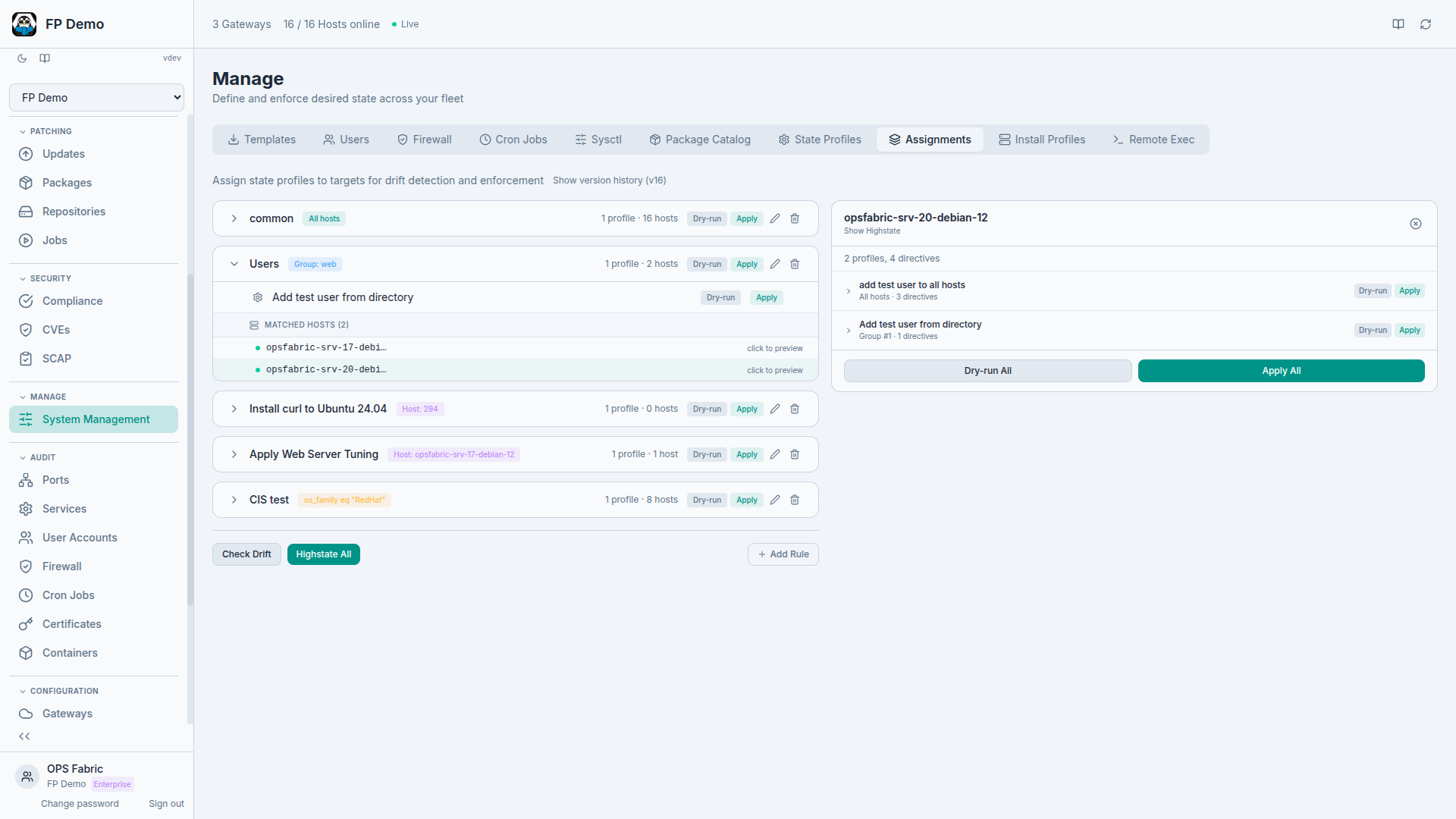
State Profiles define what should be true. State Assignments define where it should be true.
The previous blog post on managing fleet state covered State Profiles in detail. What was missing was a flexible way to target those profiles at specific subsets of your fleet.
State Assignments give you that targeting. Each assignment rule connects one or more State Profiles to a target. Targets can be:
- All hosts in your fleet
- Specific groups (e.g., "web-servers" or "production-db")
- Individual hosts by name
- Compound filters combining OS family, hostname patterns, tags, and environment
This means you can define a "Security Baseline" profile and target it at all hosts. Then define a "Web Server Hardening" profile and target it only at the "web-servers" group. Then define a "PCI Hosts" profile and target it at hosts tagged pci:true. Each host gets the union of all profiles that match its targeting rules.
Execution is flexible too. You can execute at any level:
- A single host (test a change on one server first)
- A single profile (enforce just the firewall rules)
- A full assignment rule (everything targeted at web servers)
- Fleet-wide (enforce everything, everywhere)
Versioned changes
Every change to the assignment document is versioned. When someone adds a profile to a rule, changes a target filter, or removes an assignment, OpsFabric stores a detailed diff showing exactly what changed, who changed it, and when.
This is important for auditing and for sanity. When a host suddenly starts getting a new policy, you can trace back exactly when and why the assignment changed.
Putting it all together
These four features connect to form a complete lifecycle:
- Package catalog: find the software you need across all distributions
- State Profiles: define what should be installed, configured, and enforced (using packages from the catalog, plus users, services, firewall rules, and more)
- State Assignments: target those profiles at the right hosts using flexible rules
- Install Profiles: ensure new hosts automatically fall under the right assignments from day one
- Remote execution: handle everything else, the ad-hoc tasks, investigations, and quick fixes, with a full audit trail
The infrastructure-as-data model still sits underneath all of this. Every host continuously reports its state. State Profiles and Assignments define what should be true. Drift detection flags when reality diverges from intent. And the audit log records every action taken to close that gap.
More features are coming. If you want to try these, explore the live demo.